
Everything it does
Ten areas, one system, no modules to buy later.
This is the whole product, not a teaser. Every screen below is in the price, and every one of them is tested end to end before release.
01 / Attendance & clocking
Hours you didn't have to add up
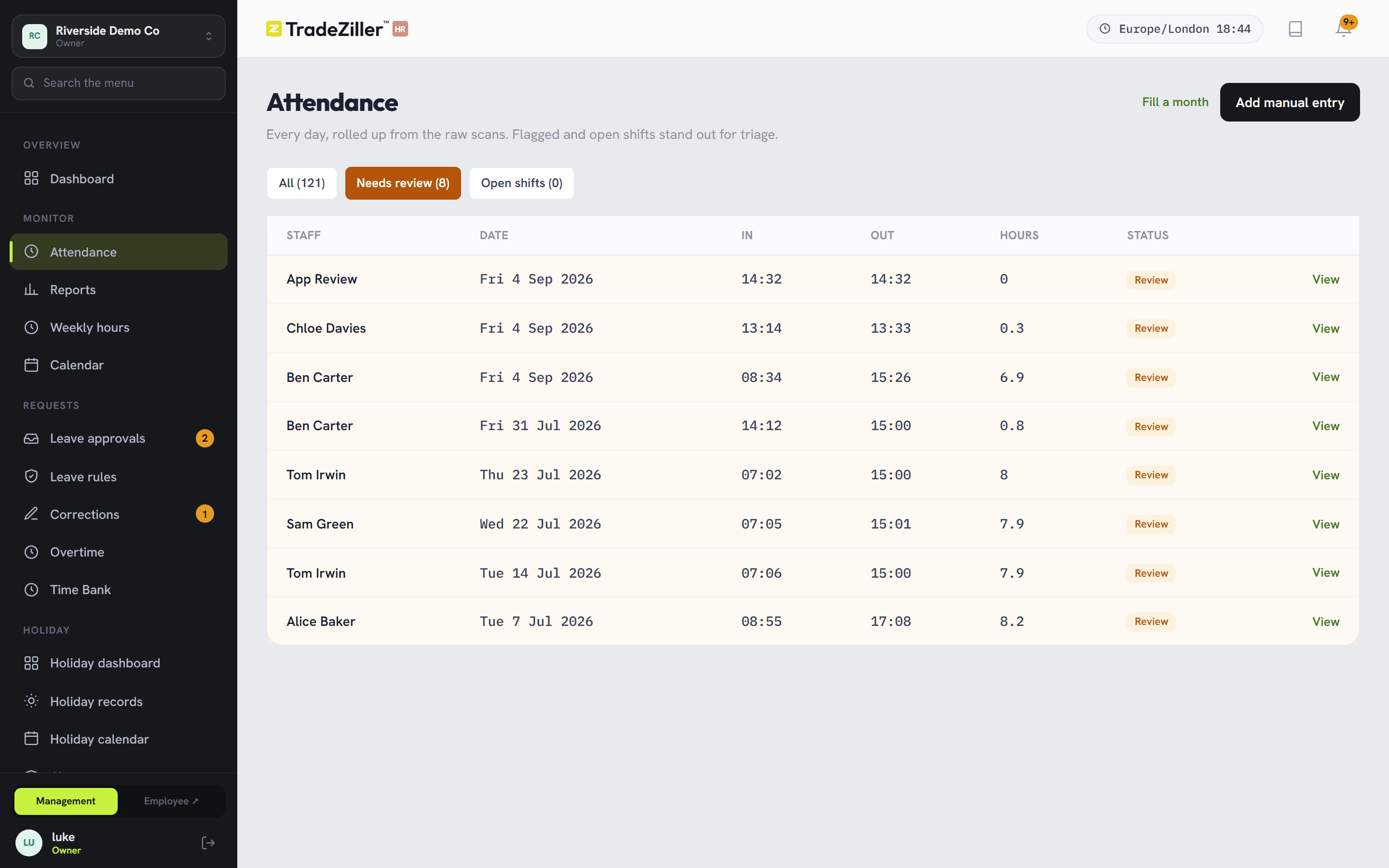
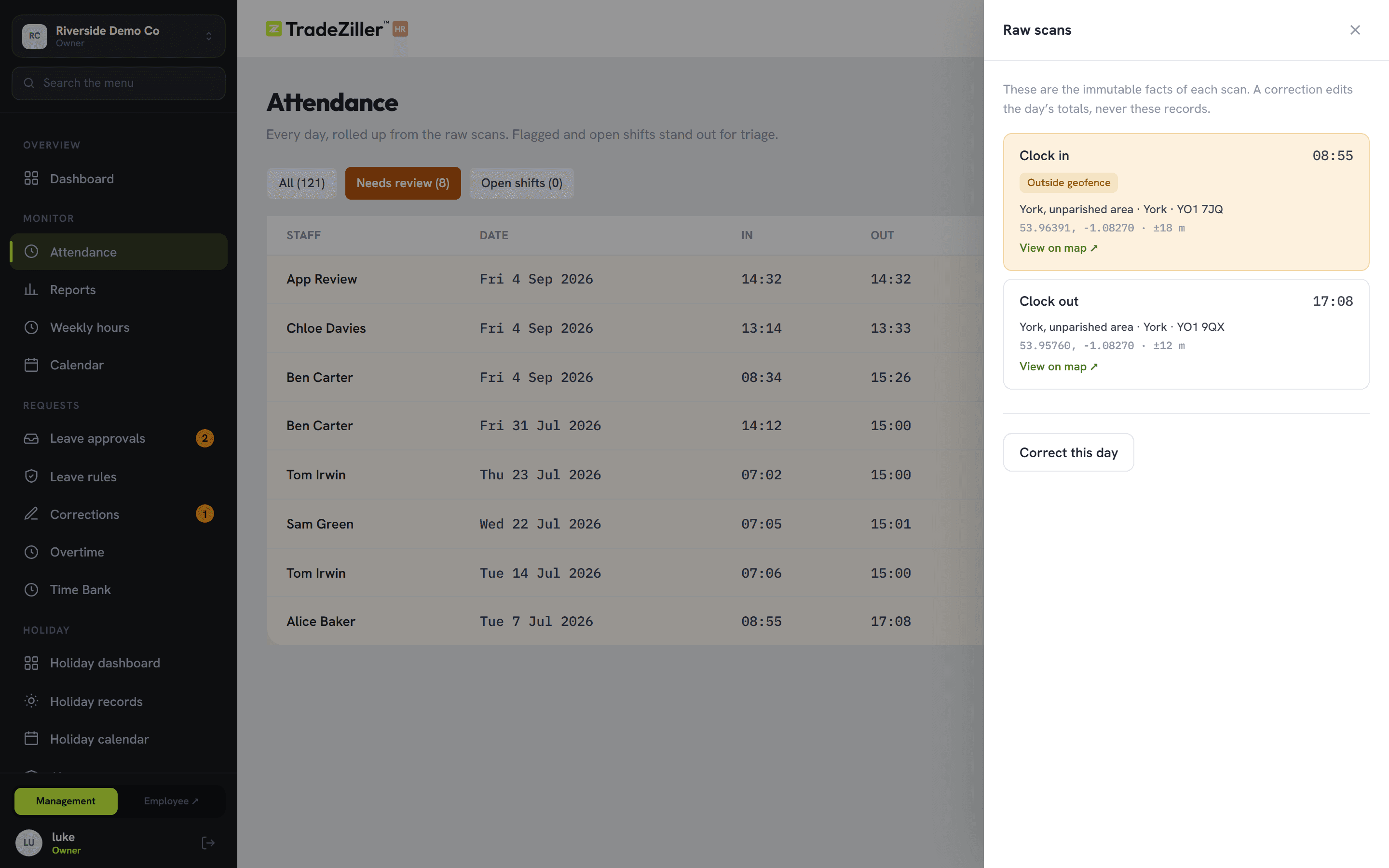
Staff scan a printed QR poster. Each scan is stored exactly as it happened — time, device, distance from the site — and the day is built from those scans rather than typed by anyone.
- Per-site GPS radius; vans and mobile teams exempt where it makes no sense
- Breaks tracked, with your own rules for unpaid deductions
- Odd days flagged amber for review — never silently corrected
- Open shifts and missed clock-outs surfaced on the dashboard the same day
- Who's in right now, at a glance, across every site
02 / Holiday & leave
Balances nobody has to trust you on
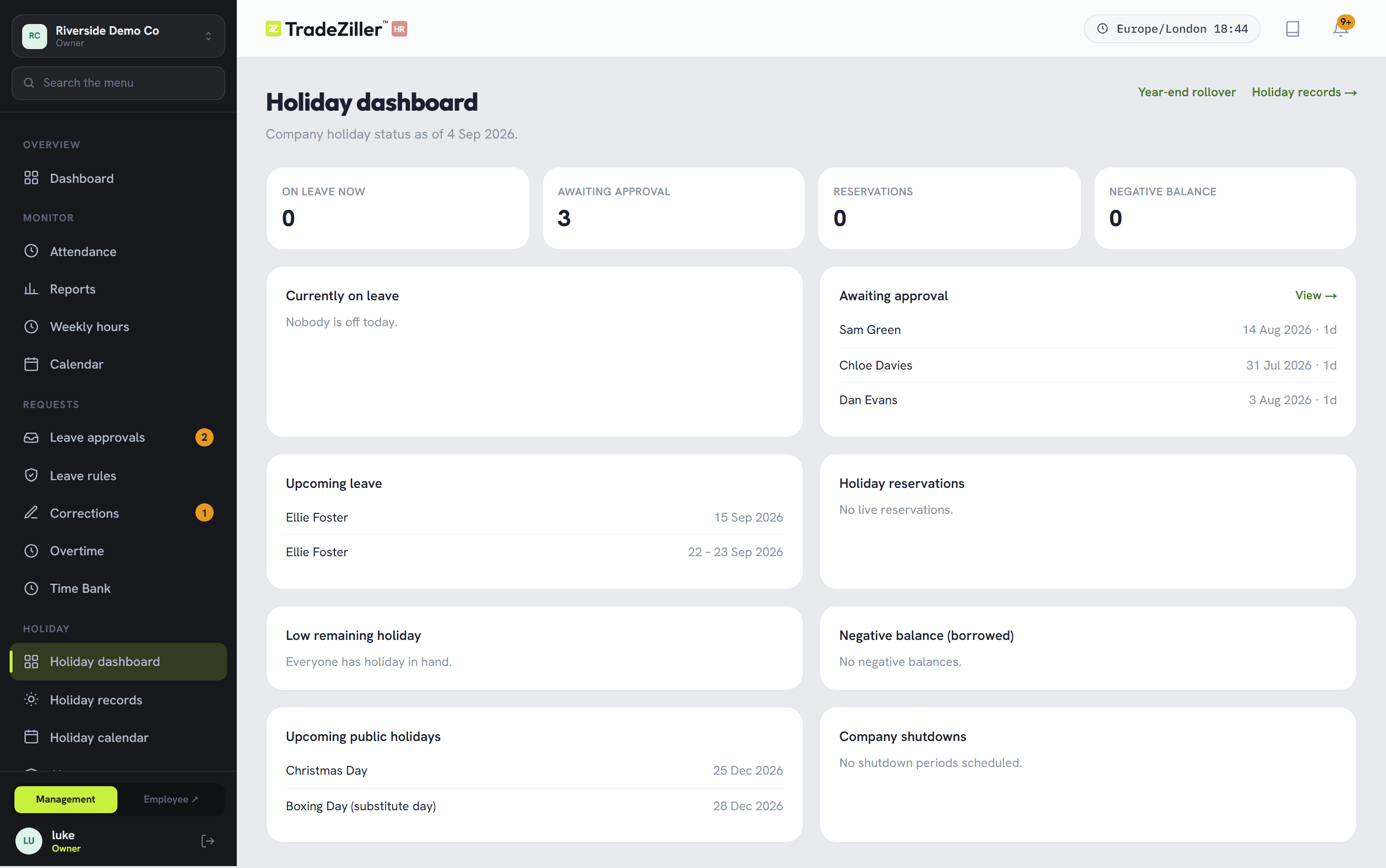
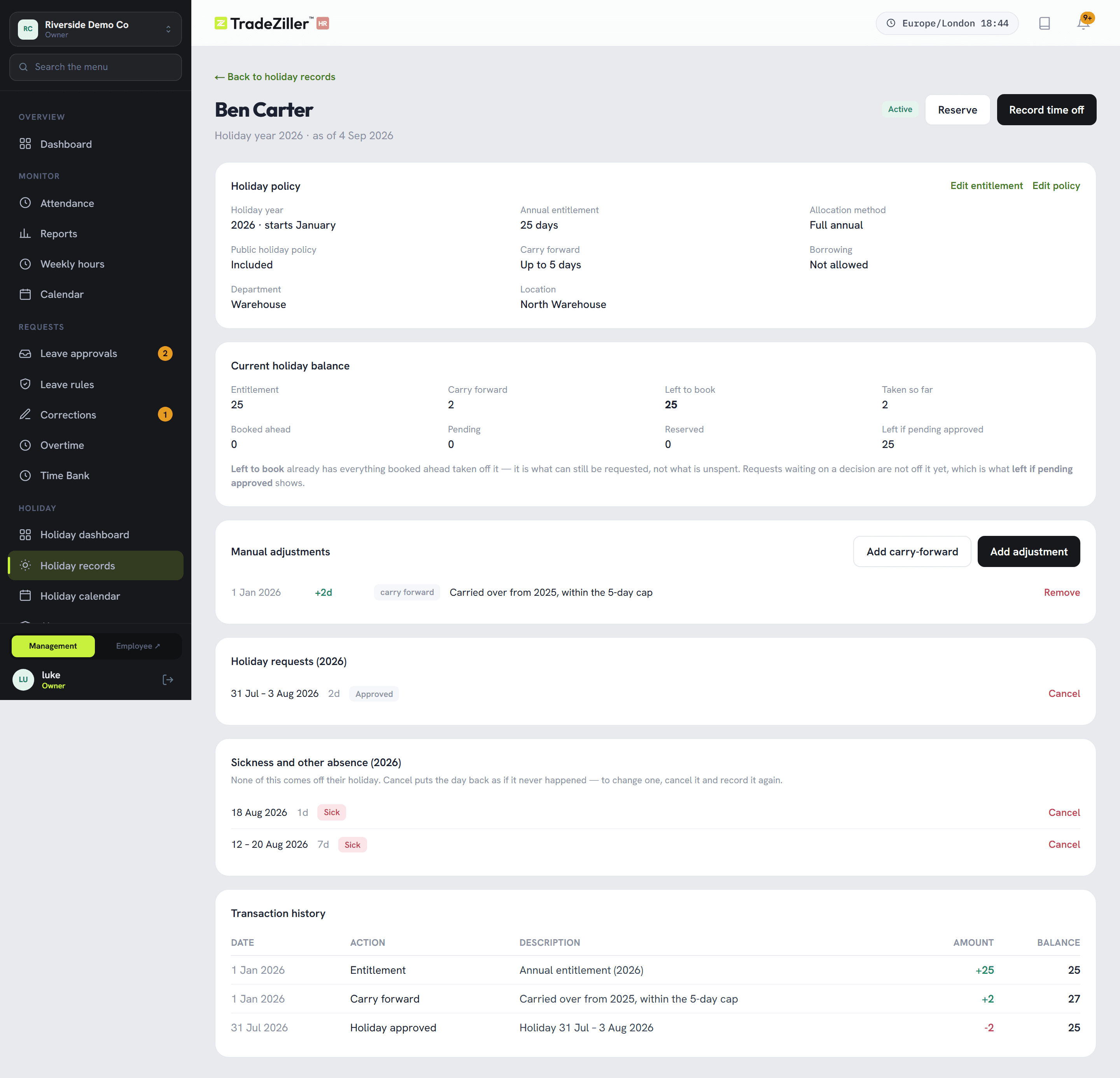
Entitlement, carry-forward, days taken and days booked — every figure backed by a dated ledger line. If an employee disagrees with their balance, you can show them where each day went.
- Clash rules per department: warn, or refuse, at your chosen limit
- Bank holidays fetched by year; Scottish-only dates off by default
- Company shutdowns that don't come out of anyone's allowance unless you say so
- Approve, reject, or propose alternative dates in one reply
- Book on someone's behalf, including retrospectively, with a reason
- Year-end carry-over run once, for everyone, capped — and impossible to run twice
03 / Overtime & corrections
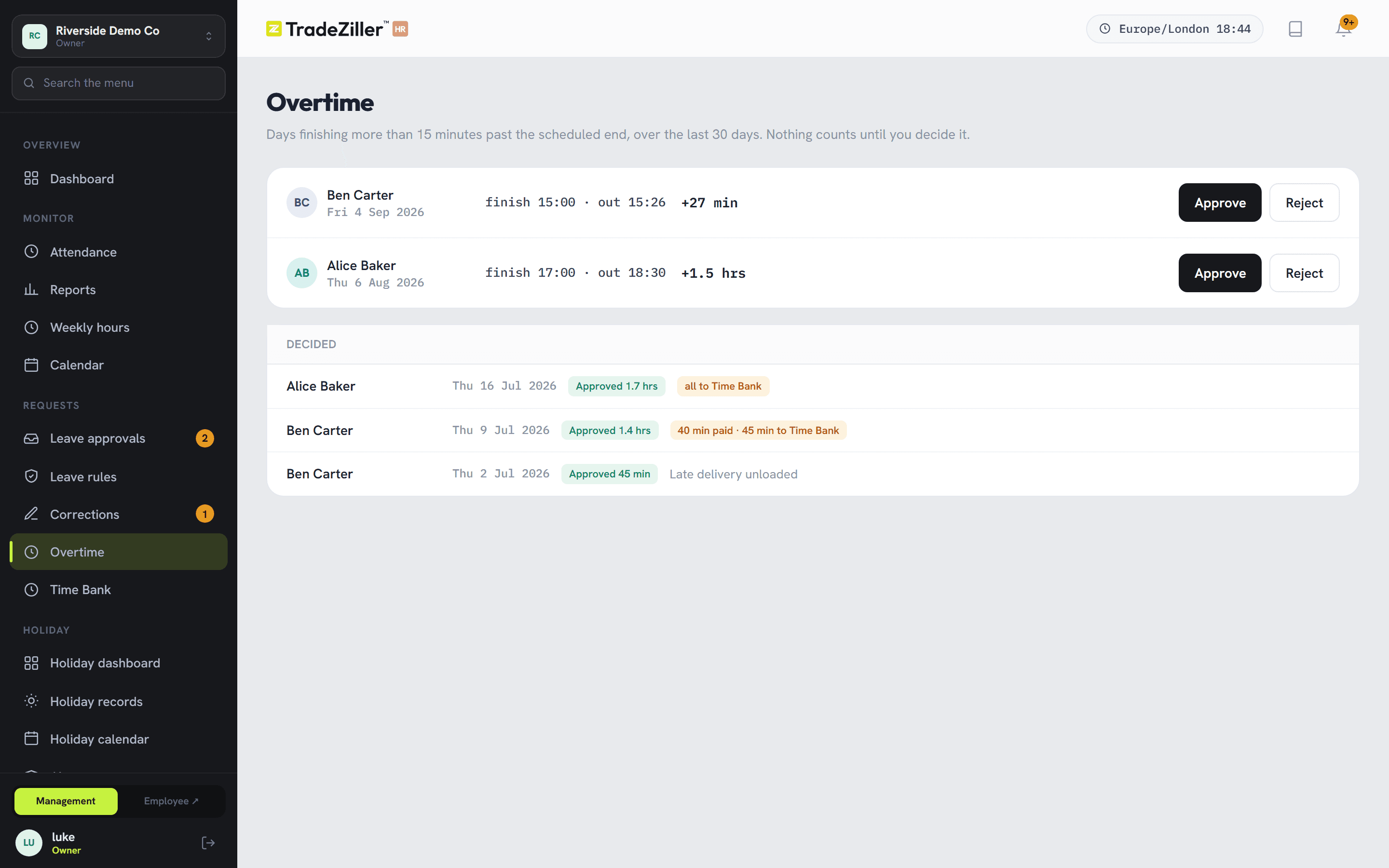
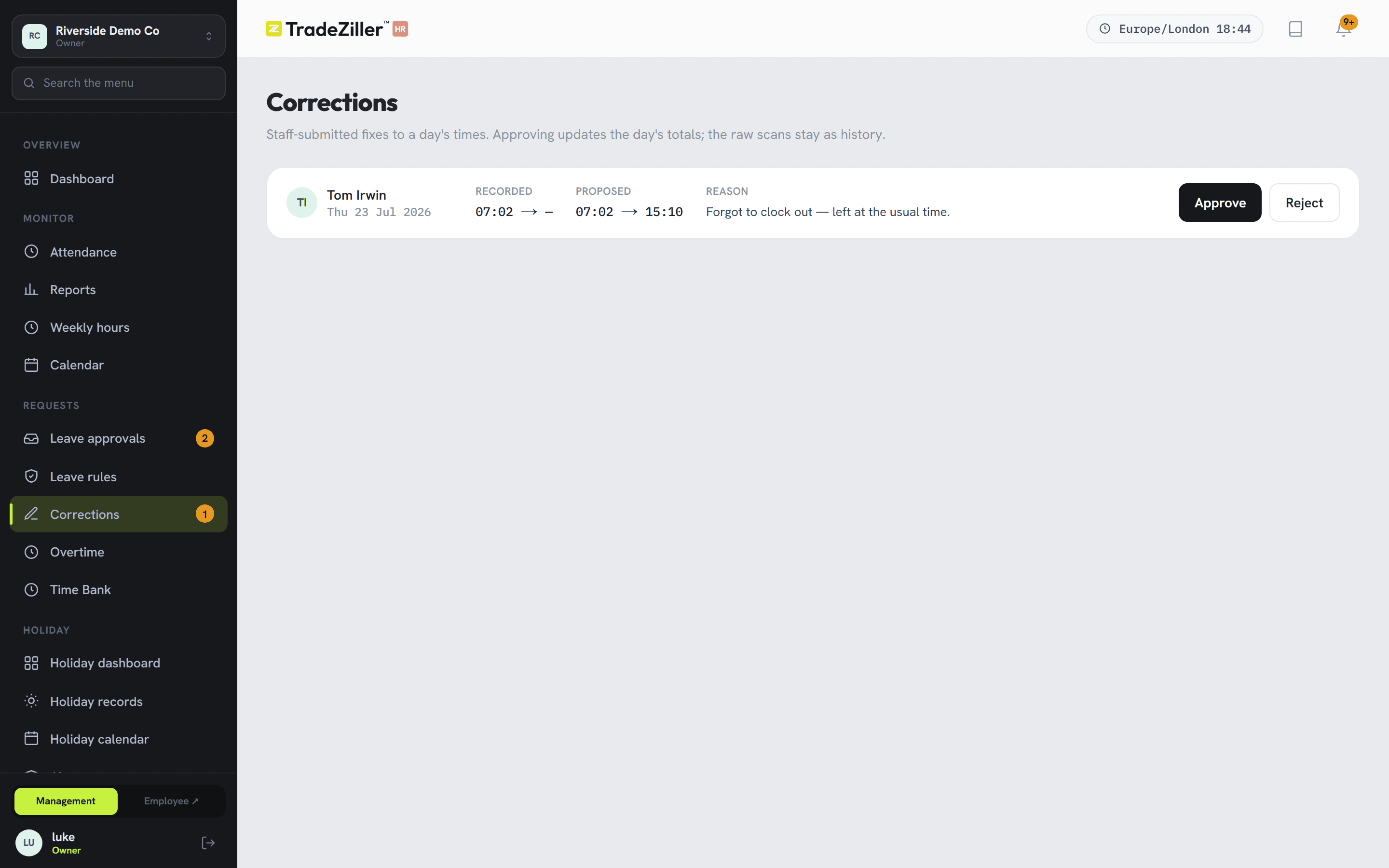
Every “can you just…” becomes a record
Overtime and timesheet fixes are requests with a decision attached — who asked, who agreed, at what rate, and why. The corridor conversation stops being the source of truth.
04 / Reports
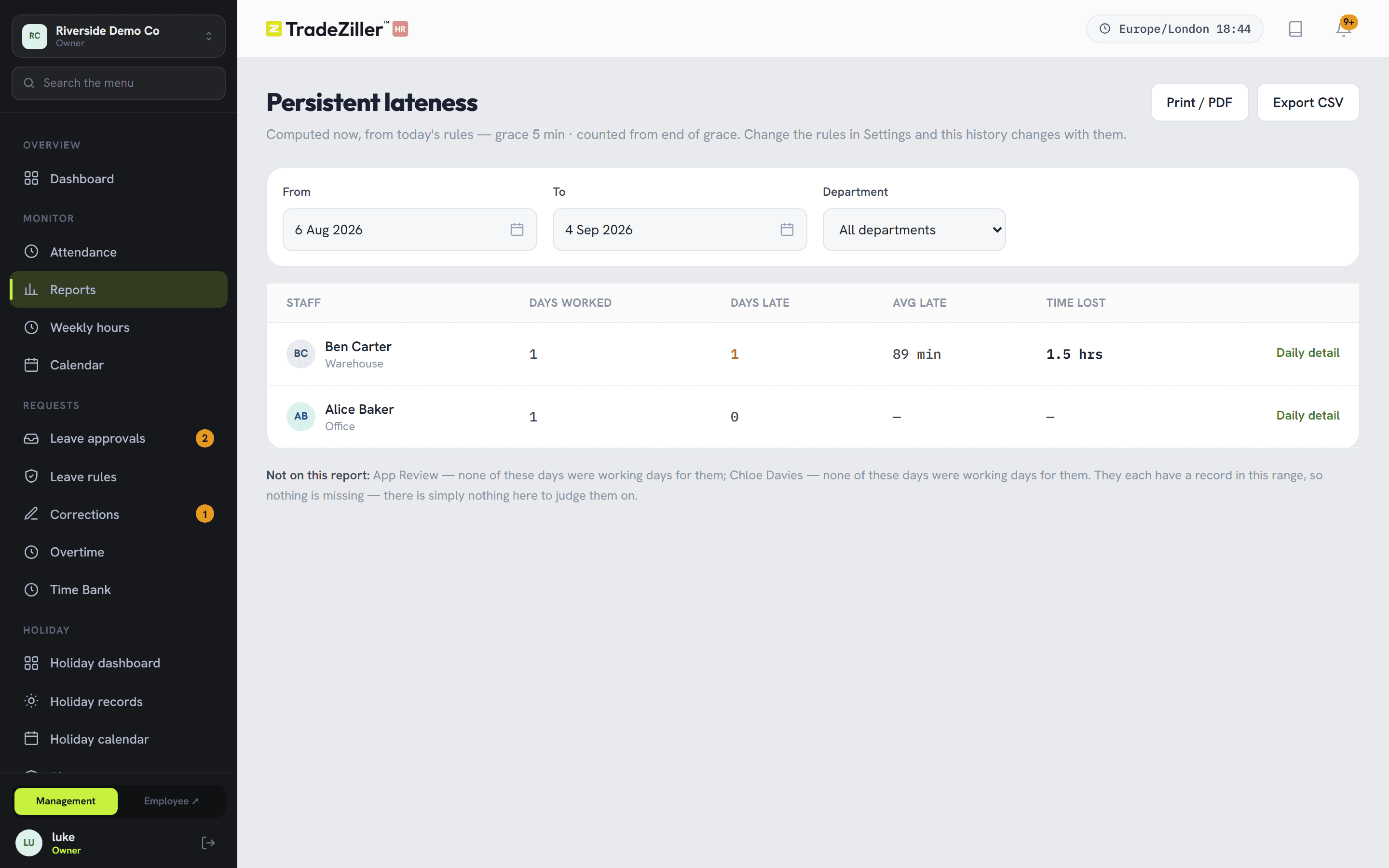
The lateness report managers open first
Lateness measured against each person's own working pattern — with the grace period you set — over any range you choose. Staff with no fixed start time don't appear at all, because for them the number would be meaningless.
- Hours by person, department or site, over any period
- Weekly hours against contracted hours
- Export anything you can see on screen
05 / People records
One folder per person, instead of four
Personal details, employment terms, emergency contacts, qualifications, training, documents, issued assets, notes — and a timeline that shows everything that's ever happened to that record, dated.
Qualifications that chase themselves
Add an expiry and it appears on the compliance dashboard as it approaches. Forklift tickets and first-aid certificates stop expiring quietly.
Assets you can get back
Laptops, van keys, uniforms — issued and returned against a name, so the leaver checklist writes itself.
HR notes kept separate
Reviews, disciplinary notes and sensitive documents sit behind their own permission — not visible to every manager by default.
06 / Compliance
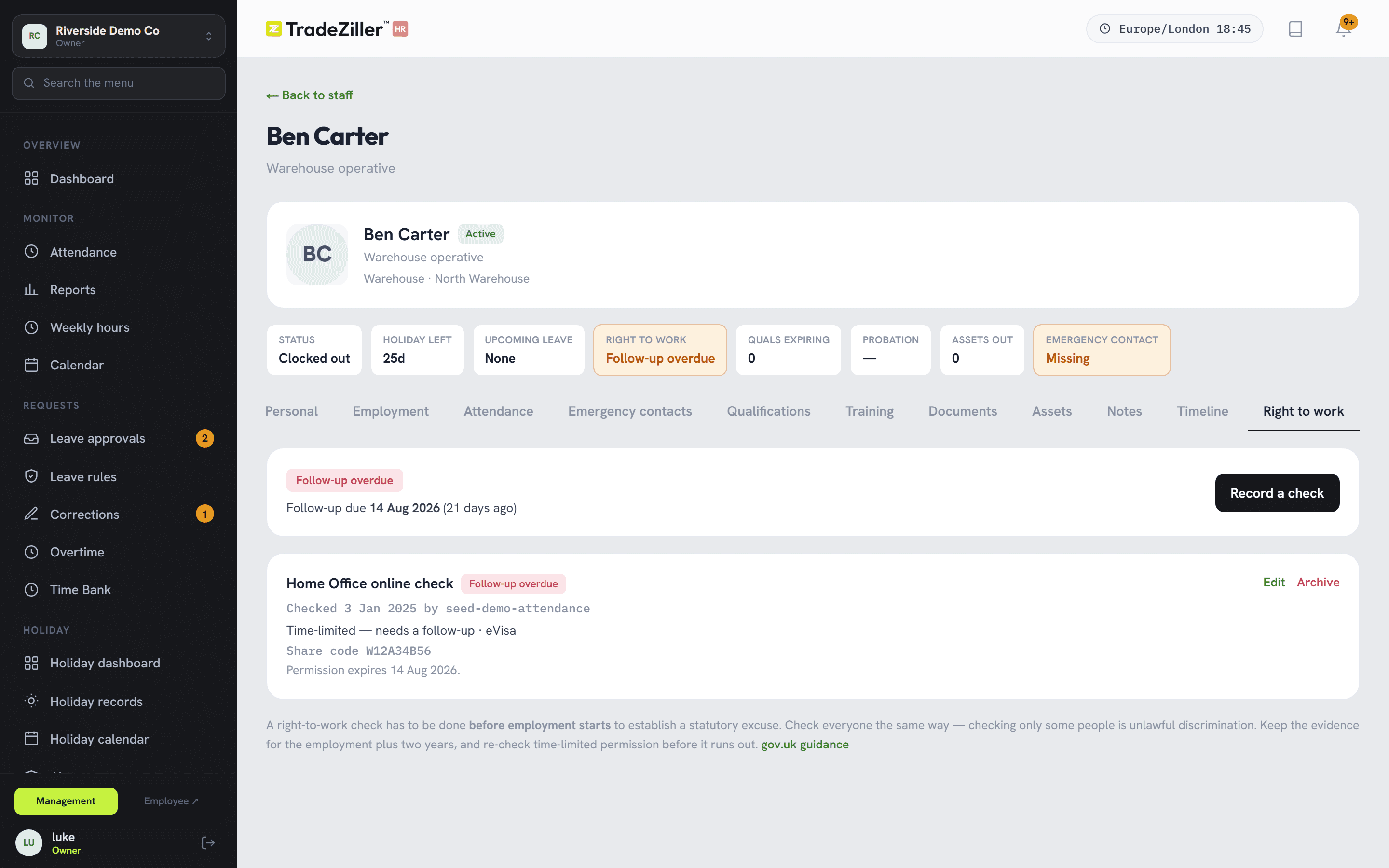
Evidence, not intentions
Right-to-work checks recorded to the statutory standard: method, outcome, share code, follow-up date. Time-limited permission won't save without an expiry, because without one there's no statutory excuse to rely on.
- Everyone shows amber until checked — the same test for every employee
- New checks supersede old ones; nothing is overwritten
- Policies uploaded, versioned, and acknowledged on the staff app
- Vehicles, insurance and certificates with renewal dates
- All data held in the UK
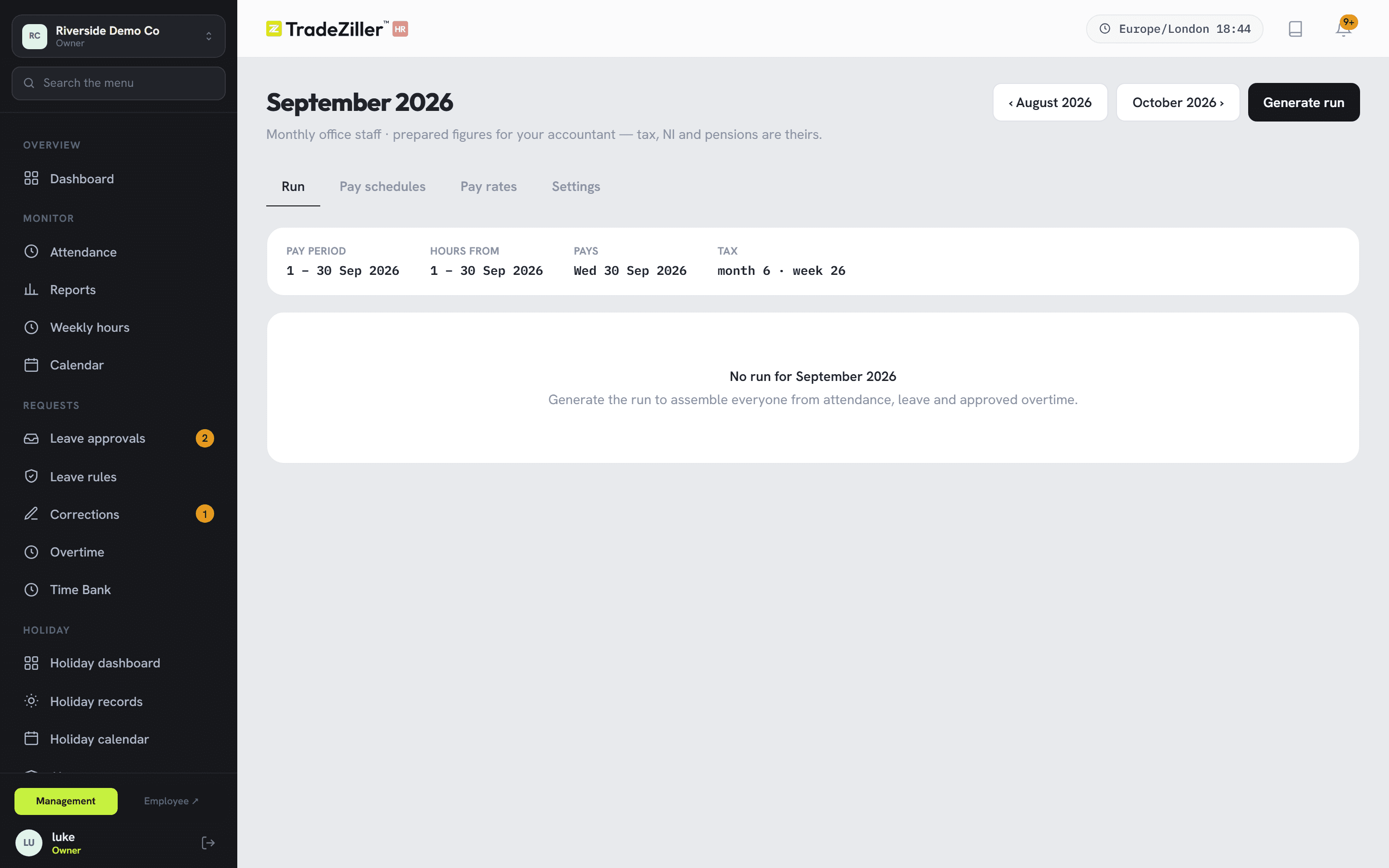
07 / Payroll
A run that checks itself before you sign it
Approved hours, overtime and leave pulled into a draft. Anything questionable is listed first — an open shift, a missing rate, a day still under review — and you fix it before the numbers become real.
- Salaried and hourly staff in the same run
- Approved runs lock so figures can't drift afterwards
- Export for your payroll bureau or accountant
08 / Staff app
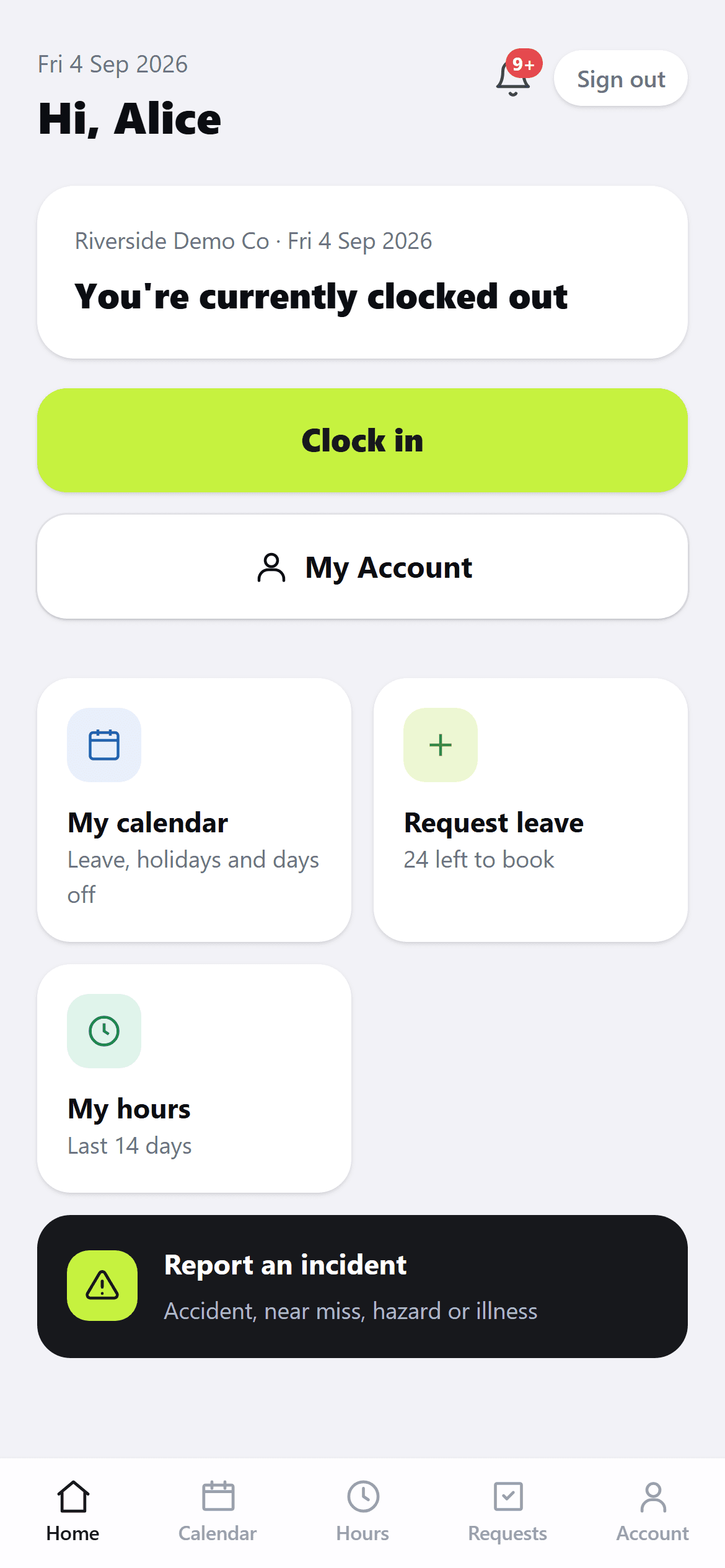
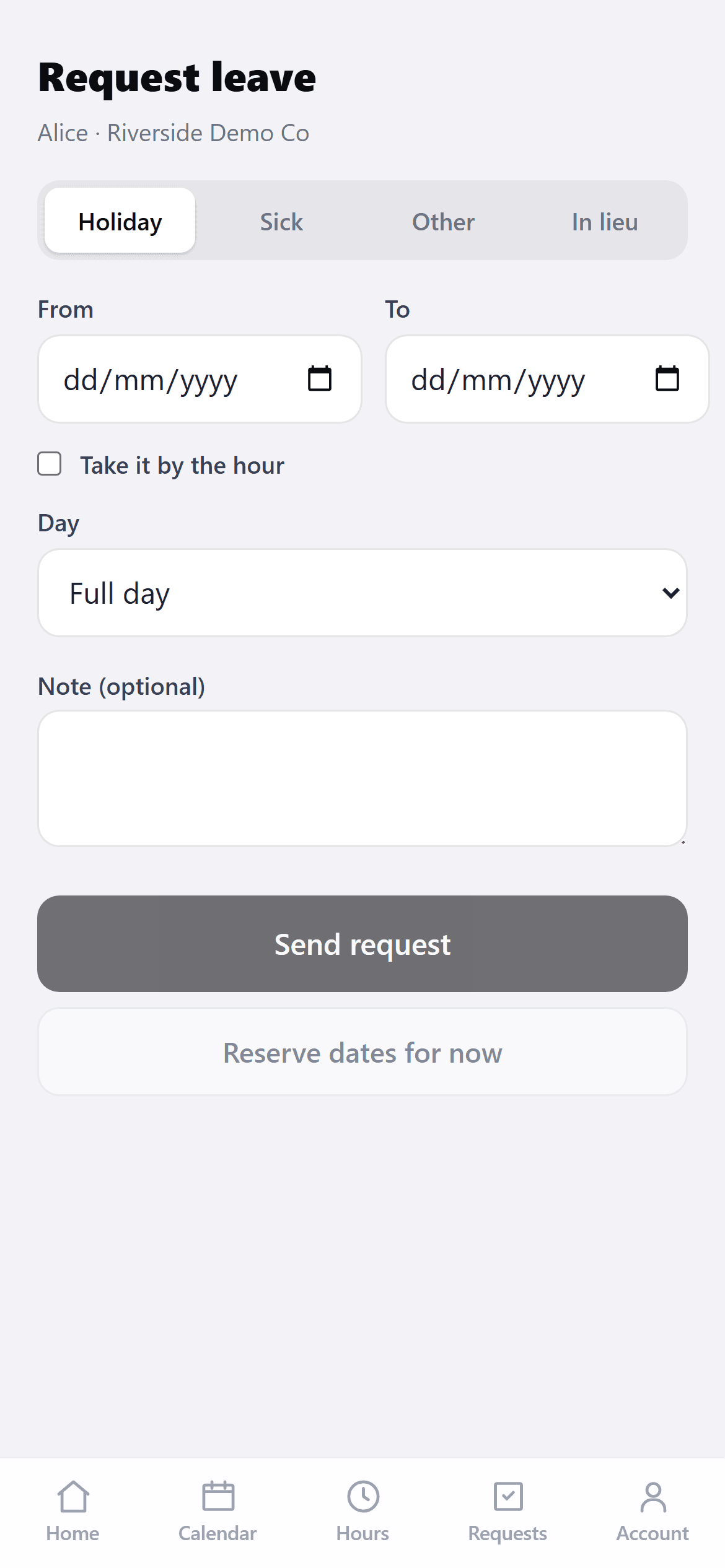
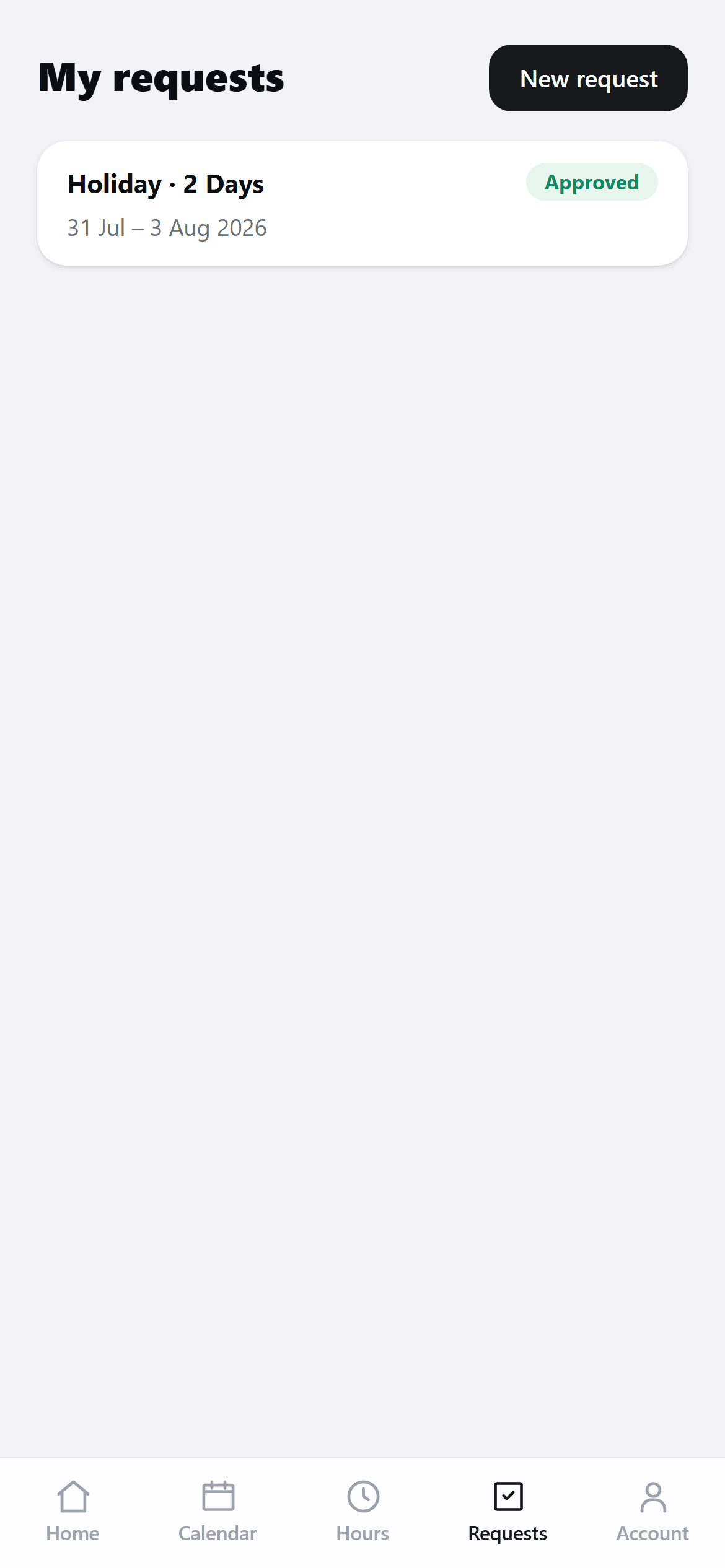
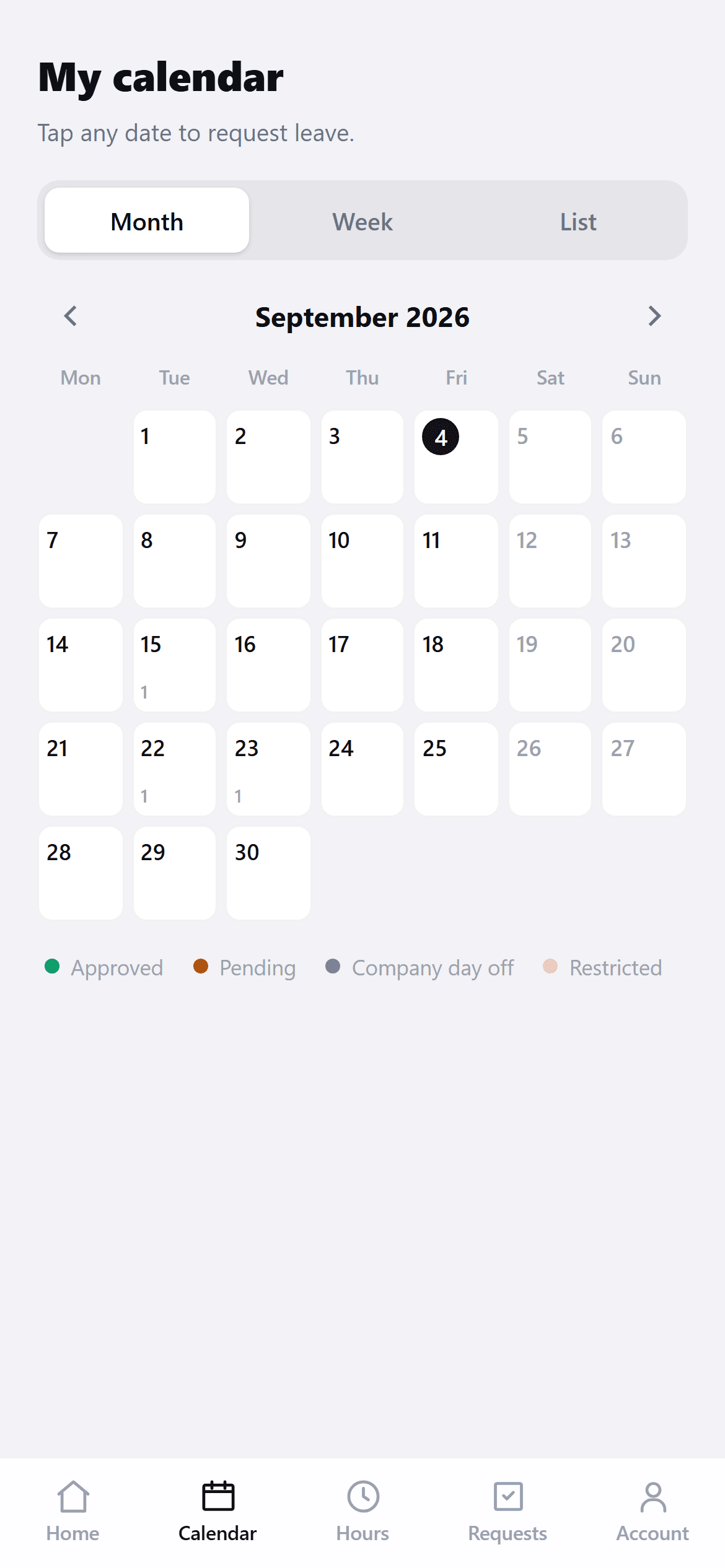
Six screens, no training needed
Opens in the phone's browser. A 4-digit PIN, and only the buttons that make sense at that moment. Most people never ask how to use it.
09 / Roles & audit
Who can see what, and who did what
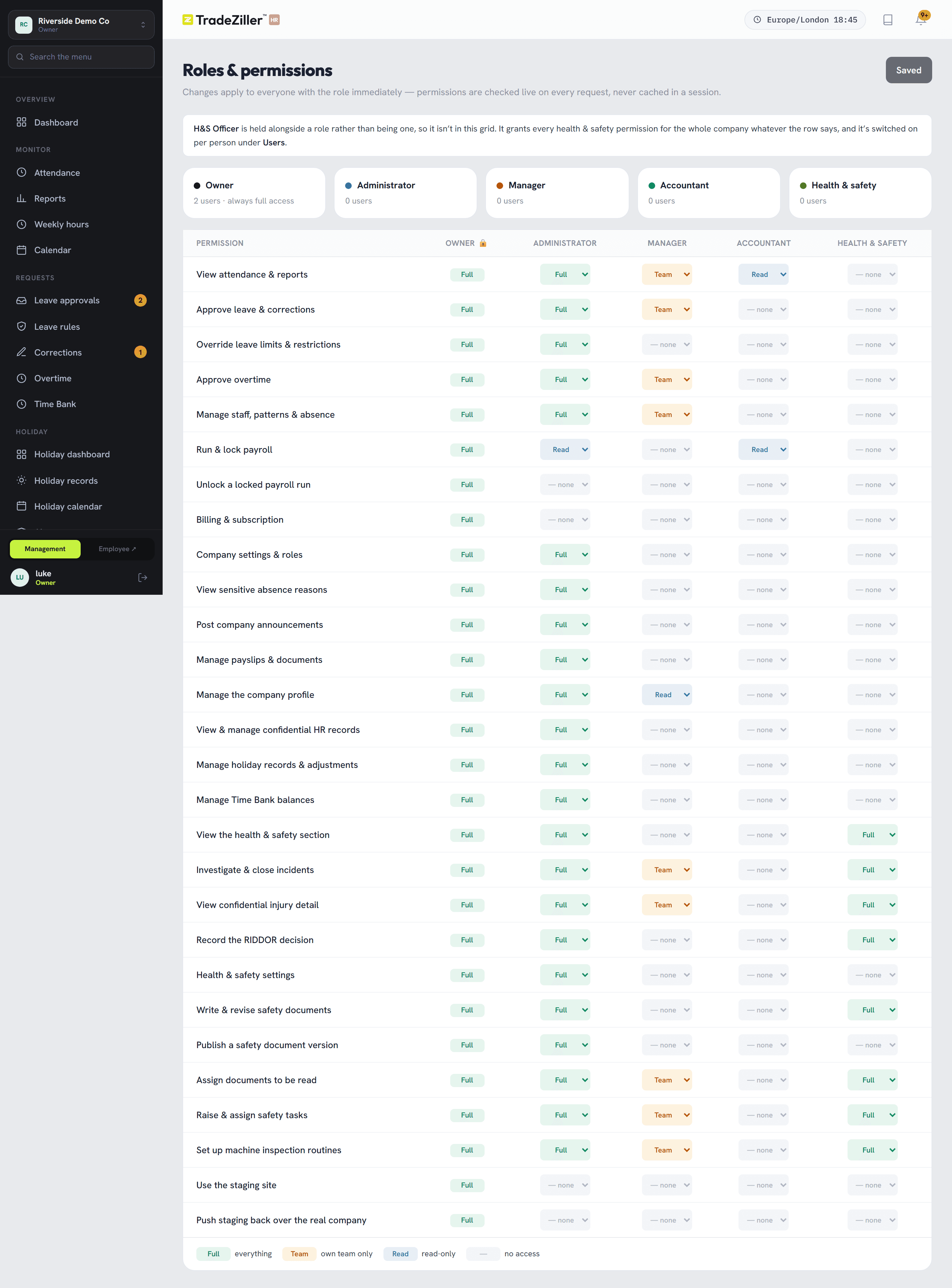
Roles are a grid you can read in one look. A manager's sidebar genuinely doesn't contain payroll, HR or the audit log — screens they shouldn't have aren't greyed out, they're absent.
- Owner access is locked at full on purpose, so nobody can lock themselves out
- Every change logged with the person, the record and the reason
- Announcements to the whole company or one department
10 / Setup
An afternoon, not a project
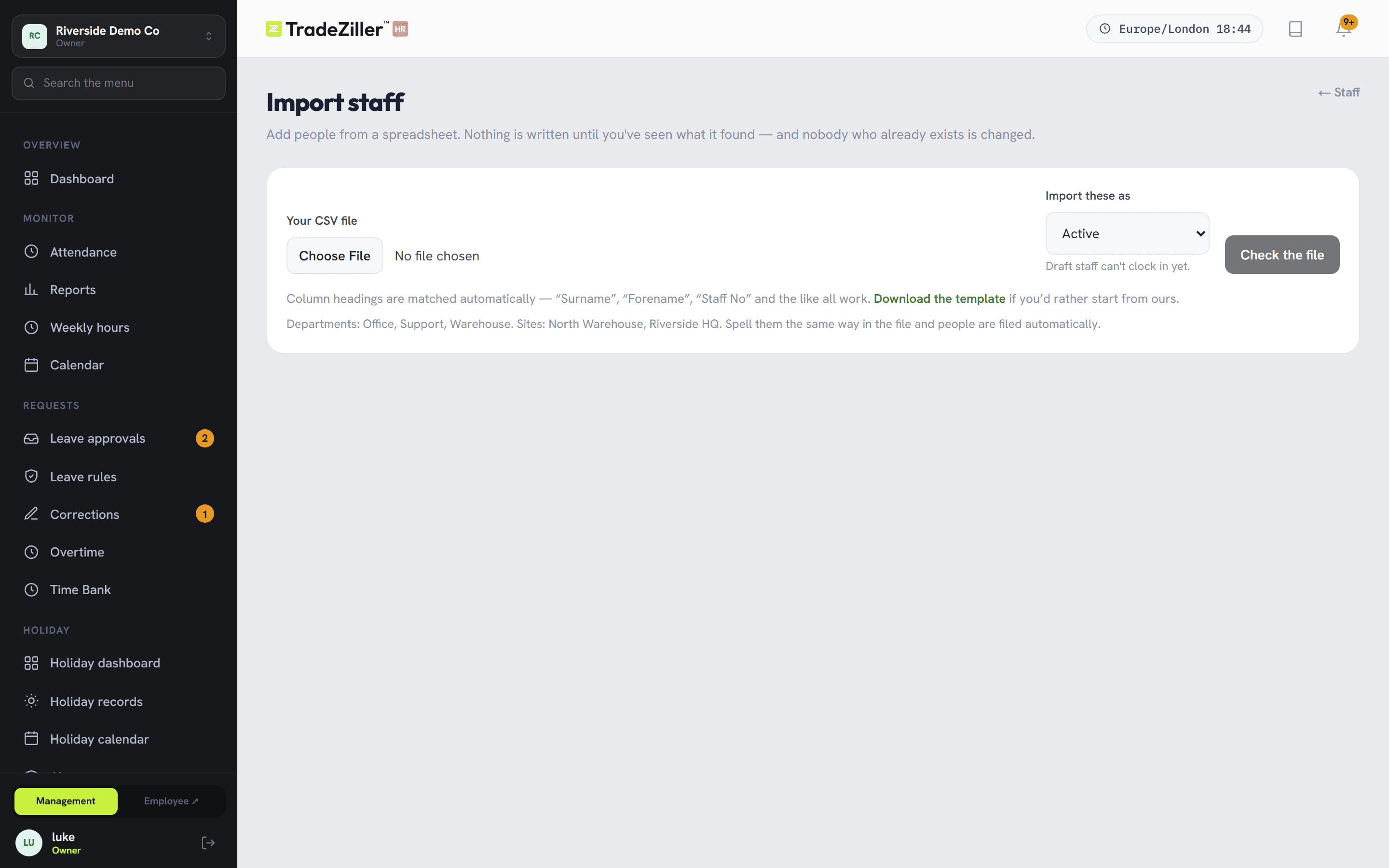
Company details, departments, sites, working patterns — then import your people from a spreadsheet and print a QR poster per site. Rules for GPS, lateness, breaks and overtime are yours to set and change later.
- Column headings matched automatically; unknown columns listed, not rejected
- Duplicate imports can't add anyone twice
- Every release is tested end to end against a written 51-step guide
All of it, in one plan.
Nothing held back for a higher tier. Free trial, no card.